
Neony is a community-first perpetual DEX built on its own L1, designed for low-latency execution and maximum capital efficiency with cross-collateral, vaults, borrow/lend, and trader kickbacks.
Once your account is set up and funded, you’re ready to place your first trade. The interface is simple, but it includes advanced tools used by more experienced traders.
1. Markets: Spot vs Perps
On Neony, you can trade:
- Spot – you directly buy and hold the asset
- Perpetuals (Perps) – you trade price exposure with leverage, without owning the asset
Perps allow both long and short positions. Cross-collateral technology lets you use your spot assets and vault tokens as margin to secure your positions.
Supported collateral includes: USDS, USDC, SOL, cbBTC, and MVT (Main Vault Token, representing your share in the vault).
Read more here: Cross-collateral
2. Trading Panel Overview
The main trading screen consists of:
- Chart (left) – price action and indicators
- Order Book (center) – live buy/sell liquidity
- Order Panel (right) – where you execute trades
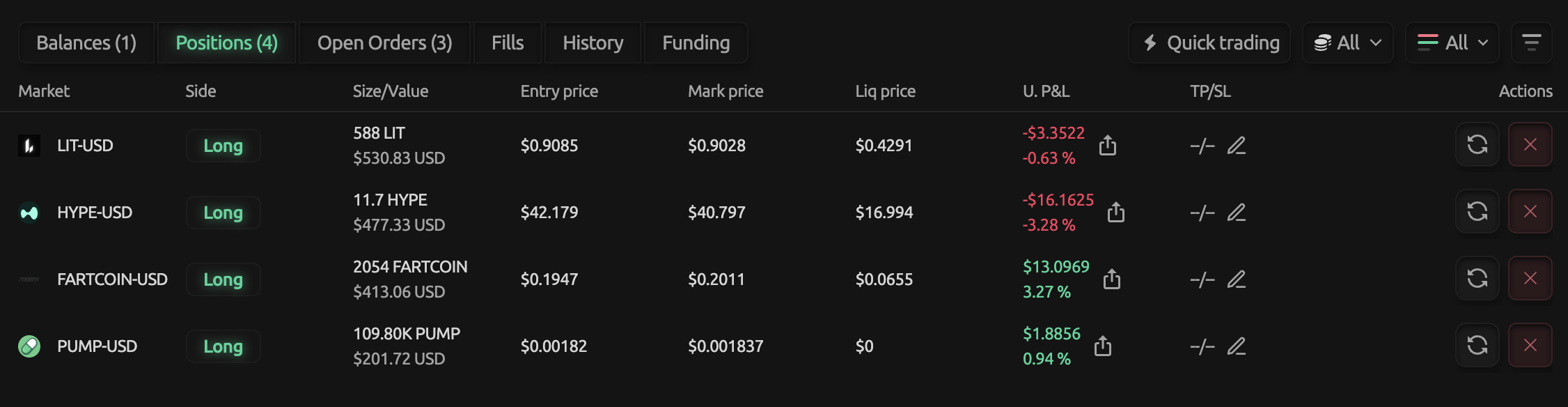
Below, you’ll find your positions, PnL, and trade history.
3. Order Types
Neony supports three main order types:
-
Market Order
Executes instantly at the best available price -
Limit Order
Executes only at your chosen price -
Scale Orders
Multiple limit orders placed across a price range
Useful for building or exiting positions gradually
4. Long vs Short
- Long (Buy) → profit if price goes up
- Short (Sell) → profit if price goes down
5. How Leverage Works (Progressive Margin)
Neony uses a progressive margin system.
Leverage is calculated automatically based on your position size relative to margin.
Example:
- Margin: $100
- Position size: $1,000
- Effective leverage: 10x
This means:
- Bigger positions = lower leverage
- Risk scales with exposure
6. Risk Management (Important)
Always define your risk before entering a trade.
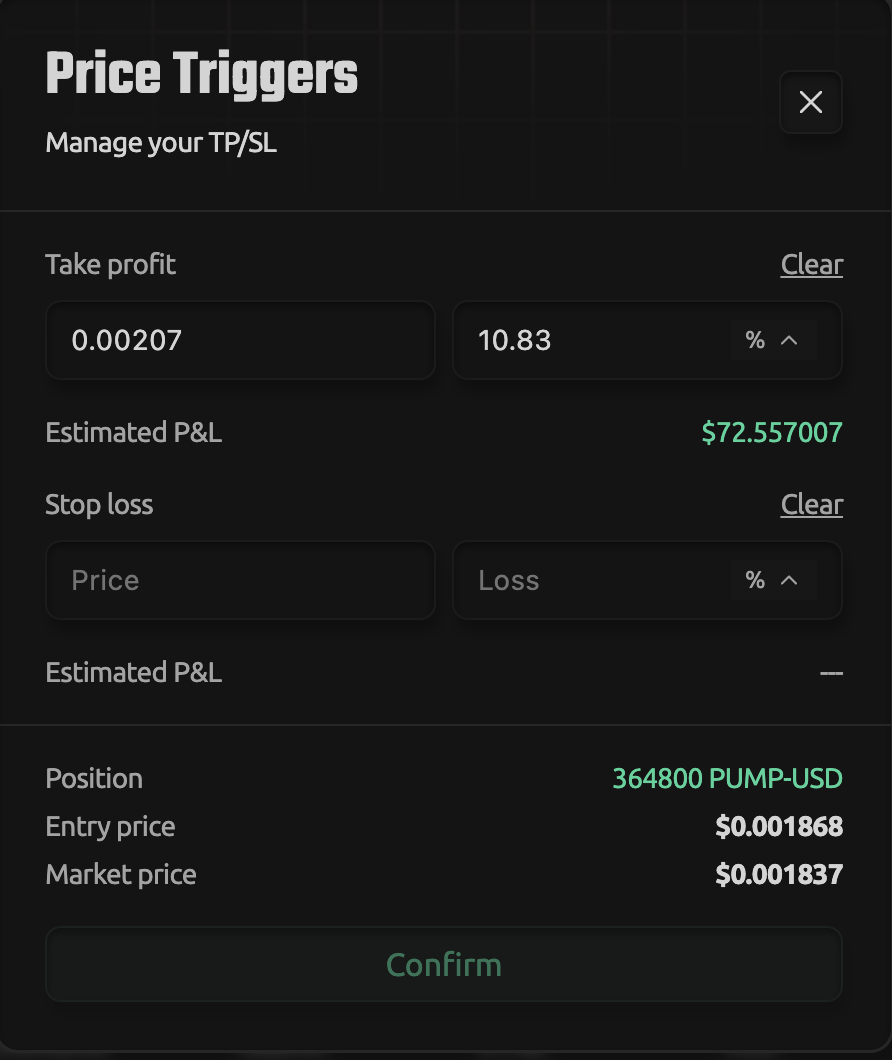
- Stop Loss (SL) – automatically closes your position to limit losses
- Take Profit (TP) – locks in gains at your target level
Setting SL/TP is essential. Without it, positions are exposed to full market volatility.
You can add SL/TP directly from the Positions tab after opening a trade.
7. Placing Your First Trade
Basic flow:
- Choose market
- Select order type
- Enter size
- Choose Long or Short
- Confirm
Your position will appear in the Positions tab, where you can manage it and adjust SL/TP.
This setup allows fast execution while maintaining full control over risk and position management.